
Foil Drive FM+ 650 Battery OverviewUpdated a month ago
The Gen2.5 650 Battery is the high-performance battery designed for use with compatible both the Gen2.5 Fusion and Gen2.5 Max+.
It features a Smart Battery Management System (BMS), app connectivity and a fully enclosed housing designed to provide IP68 water resistance.
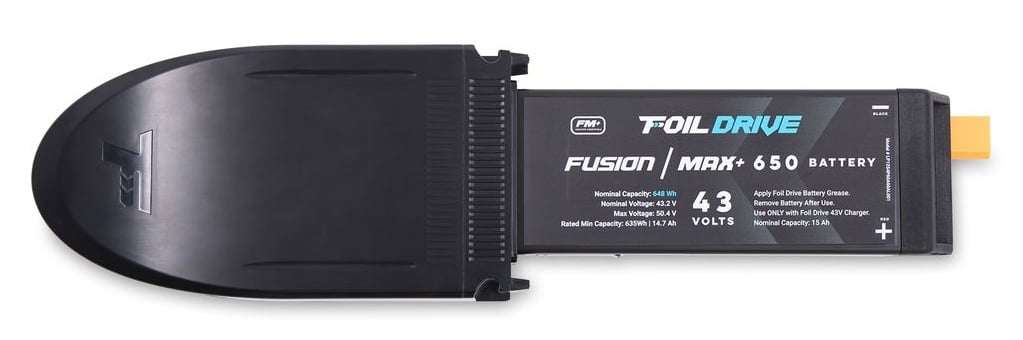
Battery Specifications
- Battery: Fusion | MAX+ 650
- Voltage: 43.2V
- Capacity: 650-class battery
- Battery chemistry: Lithium-ion
- BMS: Smart BMS
- Water resistance: IP68
- Charging: Foil Drive 43V Standard Charger
- App connectivity: Yes
- UN38.3 certified
Important: Gen2.5 batteries are only compatible with Gen2.5 systems. Do not attempt to use a battery with a system it is not designed for, including the Foil Drive Gen2 Slim and Max systems.
Smart BMS & App Connectivity
The Gen2.5 650 Battery includes a Smart Battery Management System (BMS) that monitors and manages the battery during charging and use.
Using the Foil Drive App, you can access Advanced Battery Health information, including:
- Real-time State of Charge (SoC)
- Individual cell health
- Battery name
- Battery power output status
The BMS identifier can be found on the label attached to the battery.
Water Resistance
The Gen2.5 battery and electronics unit are rated IP68. However, the battery terminals and plugs rely on correct application of Foil Drive Battery Grease for water resistance.
Always apply Foil Drive Battery Grease to the outside of the yellow battery plug before installation. Do not fill the individual pin terminals with grease. This helps protect the terminals from corrosion and water ingress.
IP68 does not mean the battery terminals can be exposed to water without protection.
Battery Care
Lithium-ion batteries require appropriate care to maintain performance and service life.
After every session
Remove the battery immediately after use.
Do not store the battery inside the electronics box. Leaving the battery connected can continue to drain the battery and may cause permanent damage.
Inspect the battery terminals before and after every session and look for signs of corrosion, including a green tinge on the gold pins. Ensure adequate Battery Grease is present to protect the terminals from salty air and moisture.
Battery storage
For extended storage, keep the battery between 30–60% State of Charge.
If you finish a session with a flat battery, charge it for approximately 15–30 minutes to bring it back into the recommended storage range. This helps preserve battery life and slow natural battery degradation.
Charging
The Gen2.5 650 Battery must be charged using the Foil Drive 43V Standard Charger.
- Allow the battery to cool to room temperature before charging.
- Charge the battery to Storage Charge within 2 hours of your finished session.
- Charge in a cool, dry area away from moisture and flammable materials.
- Normal charging temperature is 10–30°C.
- Always monitor the battery while charging.
- Disconnect the battery from the charger when charging is complete.
For complete charging instructions, see: Charging Batteries: Best Practices