
Understanding Throttle LockUpdated 2 months ago
The Throttle Lock is a safety feature included on Foil Drive V2 Controllers manufactured from January 2024 onwards.
When enabled, Throttle Lock prevents the throttle trigger from operating until the controller has been unlocked. This helps prevent accidental motor activation when handling your Foil Drive, carrying your board, or turning the board over.
Important: Always keep the throttle locked when handling your Foil Drive system out of the water. We recommend keeping Throttle Lock enabled.
For instructional video, see: Throttle Lock Explained
How Throttle Lock Works
When you first turn on your V2 Controller, the screen will display:
LCK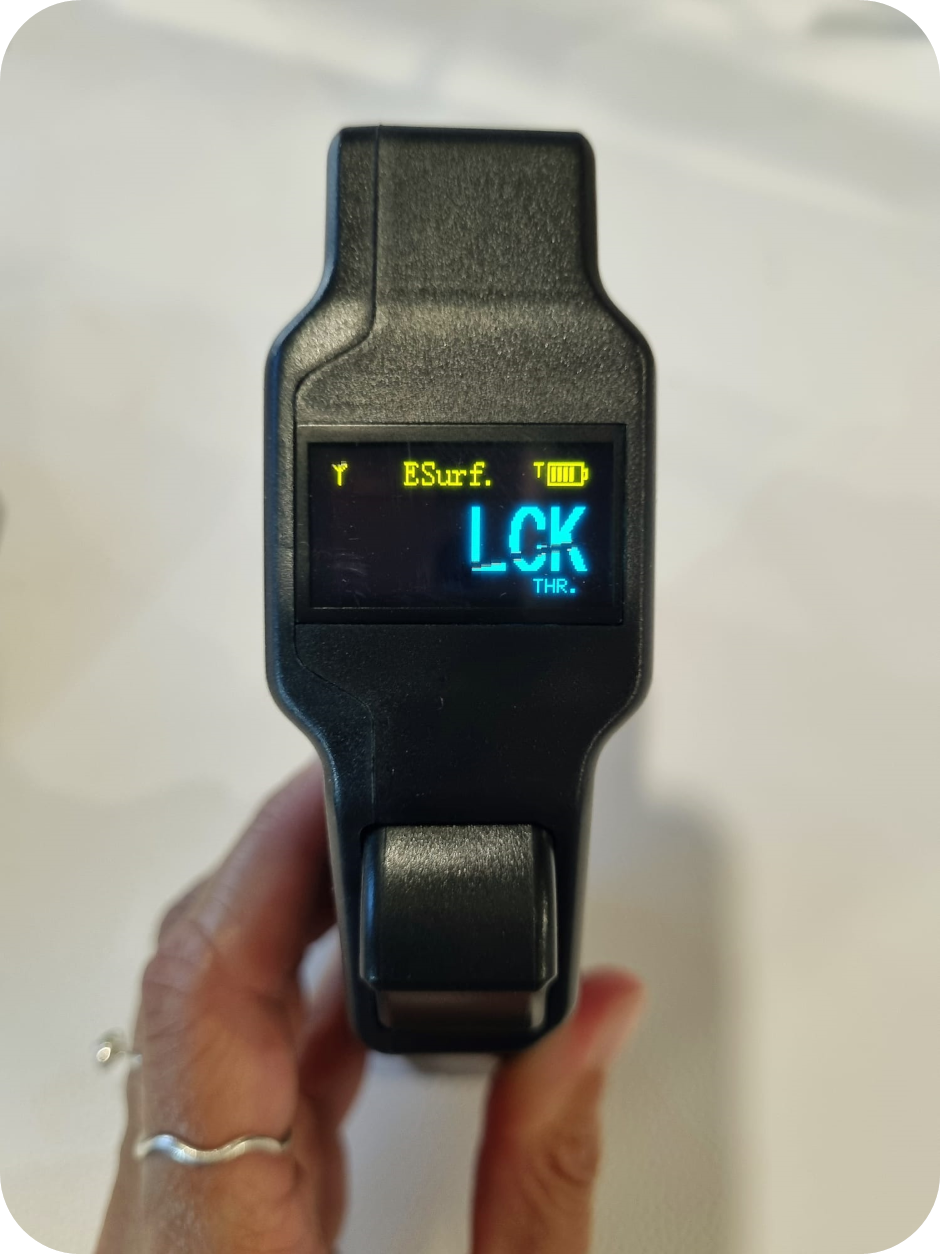
This indicates that the throttle is locked and the throttle trigger will not operate the motor.
To unlock the throttle:
- Press and hold the Cruise Control Trigger (3) for approximately 3 seconds.
- The LCK indicator will disappear.
- The screen will display 0% throttle.
- The throttle trigger will now operate normally.
The throttle only needs to be unlocked once after the controller is powered on.
When does Throttle Lock re-engage?
With the default settings, Throttle Lock does not automatically re-engage if:
- The controller temporarily loses connection with the Foil Drive unit.
- You fall off and the controller loses signal.
- The throttle is released for a period of time.
The lock will automatically be active again the next time the controller is turned on.
However, you can configure a Throttle Lock Timer to automatically re-engage the lock after a set period of inactivity.
Throttle Lock Timer
The Throttle Lock Timer allows you to set a period of inactivity after which the throttle will automatically lock again.
The timer can be set from 0–100 seconds.
Timer setting: 000
The default setting is:
000
This means the automatic timer is disabled. The Throttle Lock will not automatically re-engage after a period of inactivity.
The initial Throttle Lock that activates when the controller is switched on will still function.
Example: 5-second timer
If the timer is set to 005:
- Unlock the throttle.
- Use the throttle normally.
- Stop using the throttle.
- After 5 seconds of inactivity, LCK will reappear.
- The throttle will be locked again.
- The Cruise Control Trigger must be held for approximately 3 seconds to unlock the throttle again.
Setting the Throttle Lock Timer
- Turn the controller on.
- Press and hold the Cruise Control Trigger (3).
- While holding the Cruise Control Trigger, press the Power Button (1) once to enter the menu.
- Release the Cruise Control Trigger.
- Use short presses of the Power Button (1) to scroll to 11. THR. Lock Tim.
- Press and hold the Power Button (1) to enter the setting.
- Press and hold the Power Button (1) again to begin editing the timer.
- Use short presses of the Power Button (1) to change the flashing digit.
- Press and hold the Power Button (1) to move to the next digit.
- Repeat until the desired time is displayed.
- Press and hold the Power Button (1) to save the setting.
- Press the Cruise Control Trigger (3) to exit the menu.
The timer can be set between 000 and 100 seconds.
Turning Throttle Lock Off
Throttle Lock can be disabled through the controller menu.
Safety recommendation: We strongly recommend keeping Throttle Lock enabled. Disabling this feature removes an additional safety measure against accidental throttle activation.
To turn Throttle Lock off:
- Turn the controller on.
- Press and hold the Cruise Control Trigger (3) and press the Power Button (1) once to enter the menu.
- Release the Cruise Control Trigger.
- Use short presses of the Power Button (1) to scroll to 10. Throttle Lock.
- Press and hold the Power Button (1) to enter the setting.
- Use short presses of the Power Button (1) to toggle the setting.
- Press and hold the Power Button (1) to save your selection.
- Press the Cruise Control Trigger (3) to exit the menu.
For most riders, particularly beginners, we recommend leaving this setting ON.
Who Should Use the Throttle Lock Timer?
The automatic Throttle Lock Timer can be particularly useful for beginners and learning riders.
For example, if you frequently fall off your board and need to climb back on, the throttle can automatically lock after a short period of inactivity. This helps reduce the risk of accidentally activating the motor while repositioning yourself or handling the board.
More experienced riders may find a short timer inconvenient, particularly when:
- Surfing
- Downwinding
- Winging
- Turning the motor off while gliding
- Frequently switching between motor power and unpowered riding
For these riders, the default 000 setting may provide a more convenient experience while still retaining the initial Throttle Lock when the controller is switched on.