
Understanding Power ModesUpdated 2 months ago
Foil Drive systems have four adjustable Power Modes, each designed for different riders, riding conditions and levels of experience.
The four Power Modes are:
- Learn
- Low
- Medium
- High
Each mode has its own default settings for power output, motor spool-up speed and latency.
Learn Mode
Learn Mode is designed to make your first experience with Foil Drive as smooth, predictable and controlled as possible.
It reduces the motor's spool-up speed, meaning the motor accelerates gradually even when full throttle is applied. This provides a smoother increase in thrust and helps prevent the sudden, jerky feeling that can occur when learning to control the throttle.
Learn Mode also uses:
- Reduced power output for a gentler level of thrust.
- Slower motor spool-up for smoother throttle response.
- Shorter latency so the motor cuts out quickly if communication between the controller and Foil Drive system is lost.
Learn Mode is recommended for first-time riders, children and anyone who is unfamiliar with Foil Drive.
The combination of lower power, smoother acceleration and shorter latency makes Learn Mode a great way to become comfortable with the system before moving to higher power levels.
Low, Medium and High Power
Low, Medium and High Power all provide progressively more power output:
Low → Medium → High
Unlike Learn Mode, these three modes use the same default latency and spool-up settings. The main difference between them is the available power output.
Low Power
Low Power provides a lower level of thrust and can be useful for:
- Lighter riders
- Larger or more efficient foils
- Larger boards
- Easier riding conditions
- Riders wanting to conserve battery
Medium Power
Medium Power provides a balance between power and battery efficiency.
It can be a good choice when conditions and equipment don't require the maximum available power, while still providing more thrust than Low Power.
High Power
High Power provides the highest level of thrust and is useful when more power is required, such as for:
- Heavier riders
- Smaller boards
- Smaller foils
- Higher-performance setups
- More challenging conditions
- Riders who require maximum assistance during take-off
Choosing the Right Power Mode
There is no single Power Mode that is best for every rider.
The ideal setting depends on factors such as:
- Rider weight
- Board size and volume
- Foil size
- Riding conditions
- Take-off technique
- Desired battery runtime
For example, a lighter rider using a larger foil may not need High Power. Choosing Low or Medium Power can provide enough thrust while helping extend battery runtime.
A heavier rider using a small board and small foil may require High Power to achieve the thrust needed for take-off.
Lower Power Can Extend Battery Runtime
Using a lower Power Mode can help extend your battery runtime because the system is capable of producing less thrust.
If conditions are easier than usual, or you are using a larger foil, consider reducing the Power Mode rather than using more throttle than necessary.
Higher power is not always better. Choose the lowest Power Mode that provides the performance you need for your setup and conditions.
Changing Your Power Mode
Important: After updating your Foil Drive system, app, or V3 Controller, re-calibrate your V3 Controller triggers before riding.
Connect Your Foil Drive to the App
1. Select Your System
- Open the Foil Drive App.
- Select Gen 2 / Gen 2.5.
- Select the connection option for your system:
- Connect Assist MAX/Slim
- Connect Fusion
2. Scan Your Foil Drive
For Gen2 systems: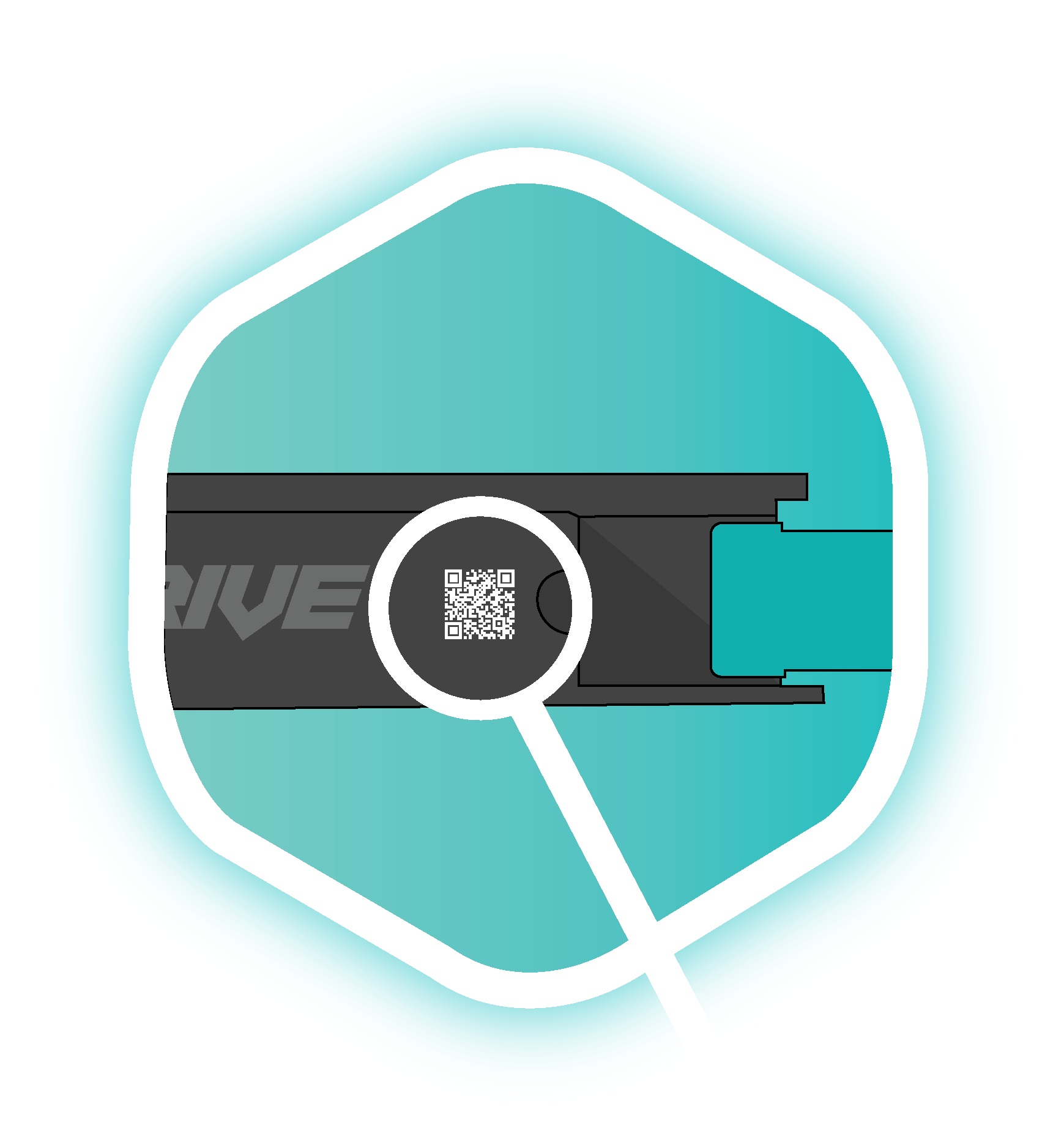
- Select Scan Foil Drive.
- Scan the QR code located on the side of your Foil Drive unit.
- Alternatively, select Manually Enter and enter the code printed next to the QR code.
Gen2.5 Systems: Scanning the Foil Drive unit is not required. The Bluetooth connection will occur automatically.
3. Scan Your Battery
For Gen2 systems: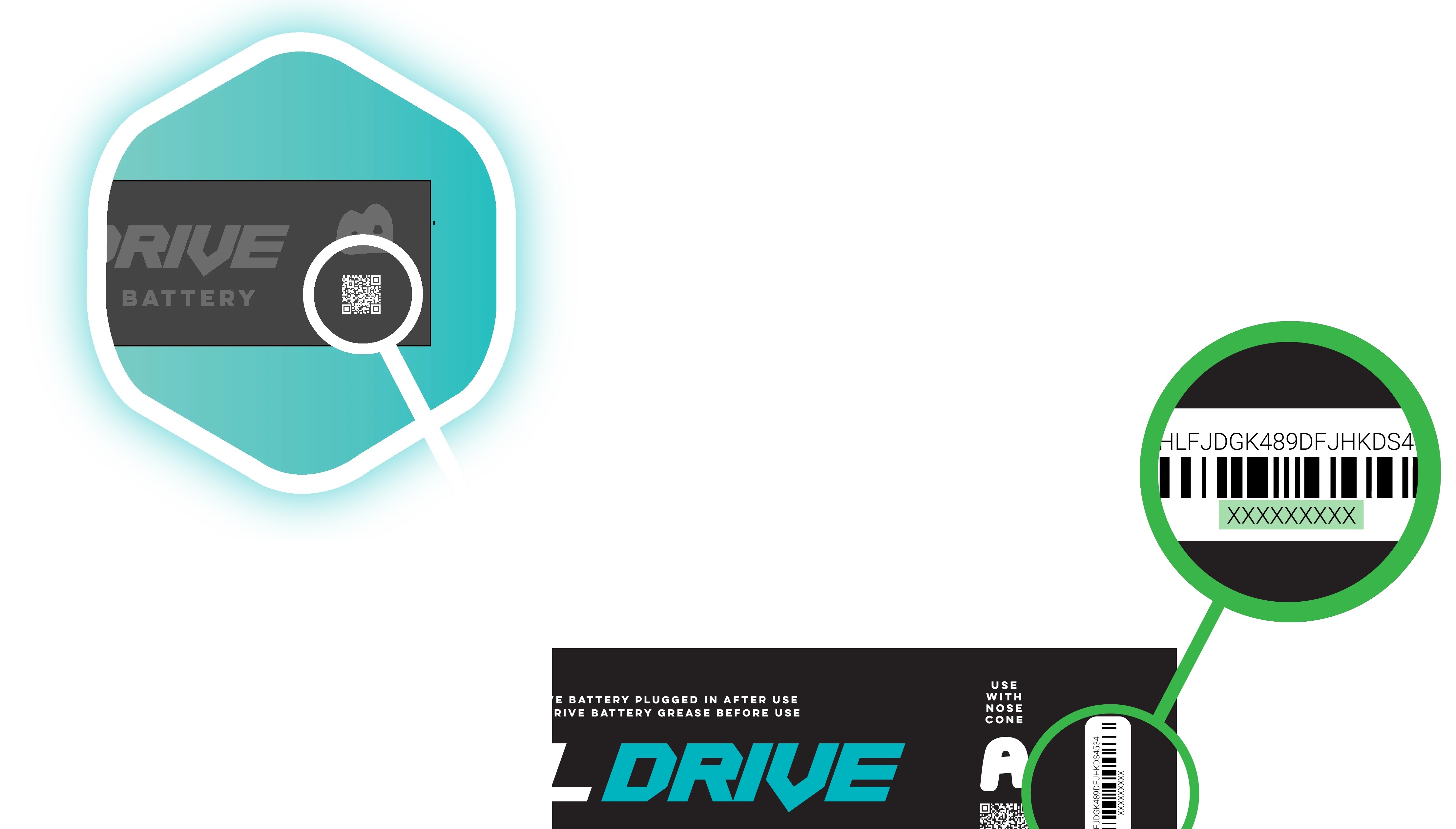
- Select Scan Battery.
- Scan the QR code located on your battery.
- Alternatively, manually enter the battery code.
Gen2.5 Batteries: Battery scanning is not required. The Bluetooth connection will occur automatically.
4. Connect
- Connect the battery to your Foil Drive system.
- Ensure the motor and propeller are free from obstruction.
- Keep your phone within approximately 30 cm (1 ft) of the Foil Drive during the connection process.
- Wait for the app to display Connected.
Your Foil Drive is now connected to the app.
Change the Power Mode
Once connected, the app will take you to Set Up Foil Drive.
The available Power Modes will be displayed on screen.
The available modes are:
- Learn
- Low
- Medium
- High
Select a Power Mode to view more information about that setting.
Choose the Power Mode that best suits your rider weight, board, foil and riding conditions.
Once you have selected your desired Power Mode, select Confirm.
Tip: Higher power is not always better. Using more power than necessary can increase battery consumption without providing a meaningful benefit for your setup.