
How to adjust tilt sensor sensitivityUpdated 21 days ago
The Tilt Sensor is a built-in safety feature exclusive to the Foil Drive Fusion System (Gen 2.5). It is enabled from factory and is designed to automatically shut off the motor if your board tilts beyond a pre-set range. This feature helps prevent the motor from running when your board is upside down, off balance, or in an unsafe position.
What Does the Tilt Sensor Do?
The Tilt Sensor continuously monitors your board’s pitch (forward and backward angle) and roll (side-to-side tilt).
If your board goes beyond the programmed tilt range, the system will instantly cut power to the motor.
This ensures:
- The motor does not run when your board is upside down
- Added safety during falls or setup on land
- More controlled operation while learning or during steep takeoffs
From factory, the Tilt Sensor is:
- Turned ON in both the Controller and Fusion Unit
- Set to 30° pitch forward/backward and 30° roll left/right
Unlocking and Using Your System
When you first power on your Fusion System, you may notice the LOCK symbol on your controller screen.
Even if you unlock the controller using the B Button (hold for 3 seconds), the system may remain locked if the board is not level.
This is because the Tilt Sensor detects that the board is upside down or tilted too far, and prevents motor activation.
To prepare for use:
- Power on your controller and connect your battery.
- Turn your board right side up so it’s level on the ground or in the water.
- Once the board is level, the system will automatically unlock and display 0% throttle.
- The motor is now ready to run.
If your board tilts too far forward, backward, or to the side, the system will automatically relock until the board returns to level.
Turning the Tilt Sensor On or Off
You can enable or disable the Tilt Sensor directly from the controller or via the Foil Drive App.
To turn the Tilt Sensor off (via Controller):
- Enter the Menu on your Controller.
- Scroll to Menu 7 – Tilt Sensor.
- Select OFF and confirm using the B Button.
- The Lock symbol will disappear, and the motor will now run freely.
Adjusting Tilt Sensitivity (via App)
Through the Foil Drive App, you can customise the tilt limits for pitch and roll to suit your ri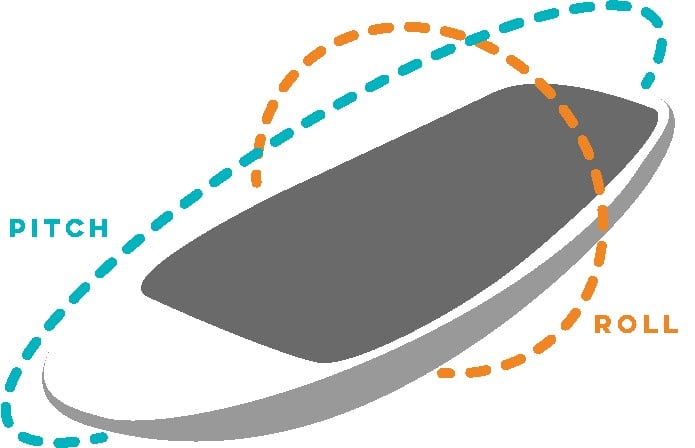 ding style or skill level.
Example setups:
- Beginner (low):
- Tight range (e.g. 20° roll) for extra safety — ideal when balance isn’t yet consistent.
- Progressing (medium):
- Slightly wider pitch range (30°) to prevent premature motor cut-off during takeoff.
- Intermediate (high):
- Wide range (e.g. 40° pitch and roll) for more aggressive turns or steep wave drops.
- We recommend that advanced riders have tilt sensor disabled
To change these values:
- Open the Foil Drive App.
- Go to Tilt Sensor Settings.
- Adjust the pitch and roll degrees to your preference.
- Save and apply your settings.